
Coach’s Whiteboard
Diagram Defensive Plays & Player Positions on a Live Field
Pitch MetRx includes Coach’s Whiteboard for baseball and softball coaches. Place defensive positions, runners, batters, and the ball in play on a full field diagram—then draw movement tracers to show exactly how a play should unfold. Communicate bunt defenses, cut-offs, shifts, and situational alignments so every player sees the same plan. Available with a paid subscription. See the full pitch charting app.
What Coach’s Whiteboard does
Verbal instructions alone rarely create a shared picture. Coach’s Whiteboard turns situational coaching into something your team can see—on a phone, tablet, or laptop in the dugout, on the bench, or during a pre-game meeting.
Full defensive lineup
Place all nine defensive positions—pitcher, catcher, and every fielder (P, C, 1B, 2B, 3B, SS, LF, CF, RF)—and drag them to custom alignments.
Runners & batter
Add runners on first, second, or third (R1, R2, R3) and place the batter in the box to build any live situation.
Ball in play
Drop a baseball or softball icon to show where contact happened, where a bunt is headed, or where a throw should go.
Movement tracers
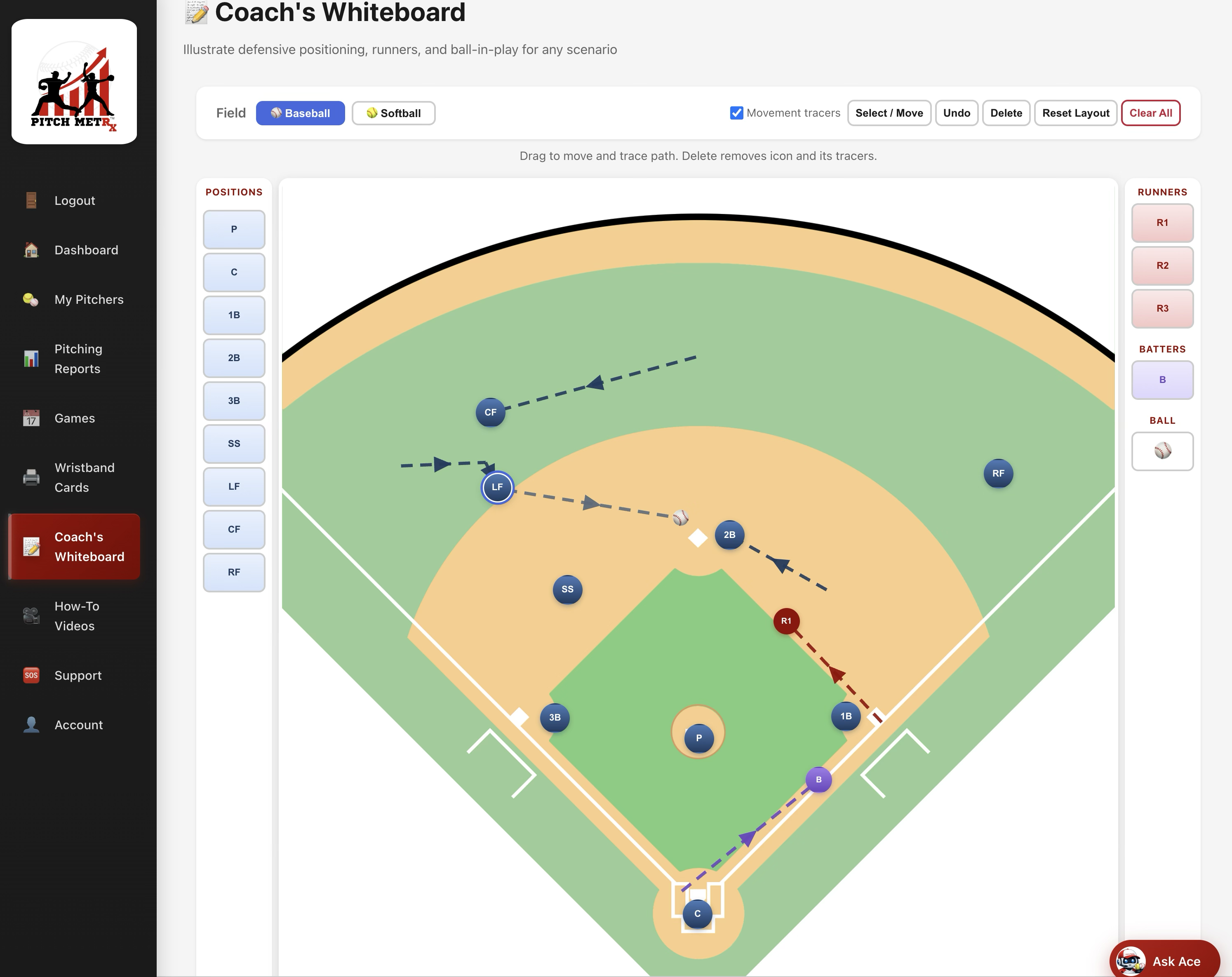
Enable tracers and drag players or runners to draw colored paths showing who covers a bag, backs up a throw, or rotates into a cut-off.
Baseball & softball fields
Switch between baseball and softball field layouts with one tap. Each sport uses calibrated positioning and default defensive spots.
Reset & undo
Reset to a standard defensive alignment, clear the whole board, undo the last move, or delete a selected icon and its tracers.
Mobile-friendly
Use Coach’s Whiteboard on any device. Many coaches pull it up on a tablet during defensive meetings or between innings.
Built into Pitch MetRx
No separate diagramming tool or extra subscription. Coach’s Whiteboard lives alongside pitch charting, Pitch Call Analysis, and wristband cards.
Common plays coaches diagram
Baseball situations
Diagram cut-offs and relays, double-play depth, defensive shifts, pickoff responsibilities, and first-and-third wheel plays. Show outfielders where to throw and infielders where to line up.
Softball situations
Walk through bunt defenses, slapper alignments, steal looks, squeeze plays, and first-and-third scenarios. Trace middle-infield paths so everyone arrives on time.
See Coach’s Whiteboard in action
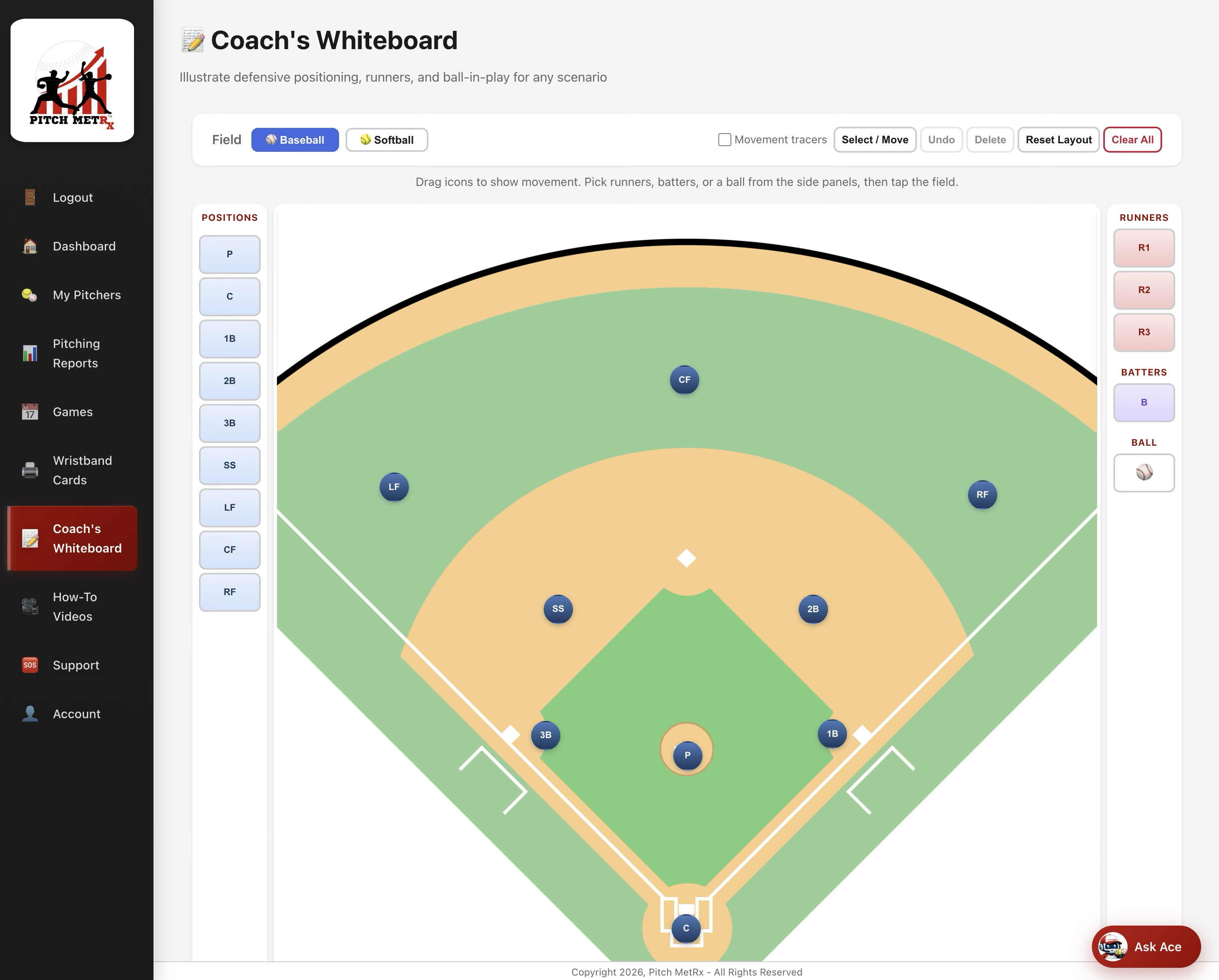
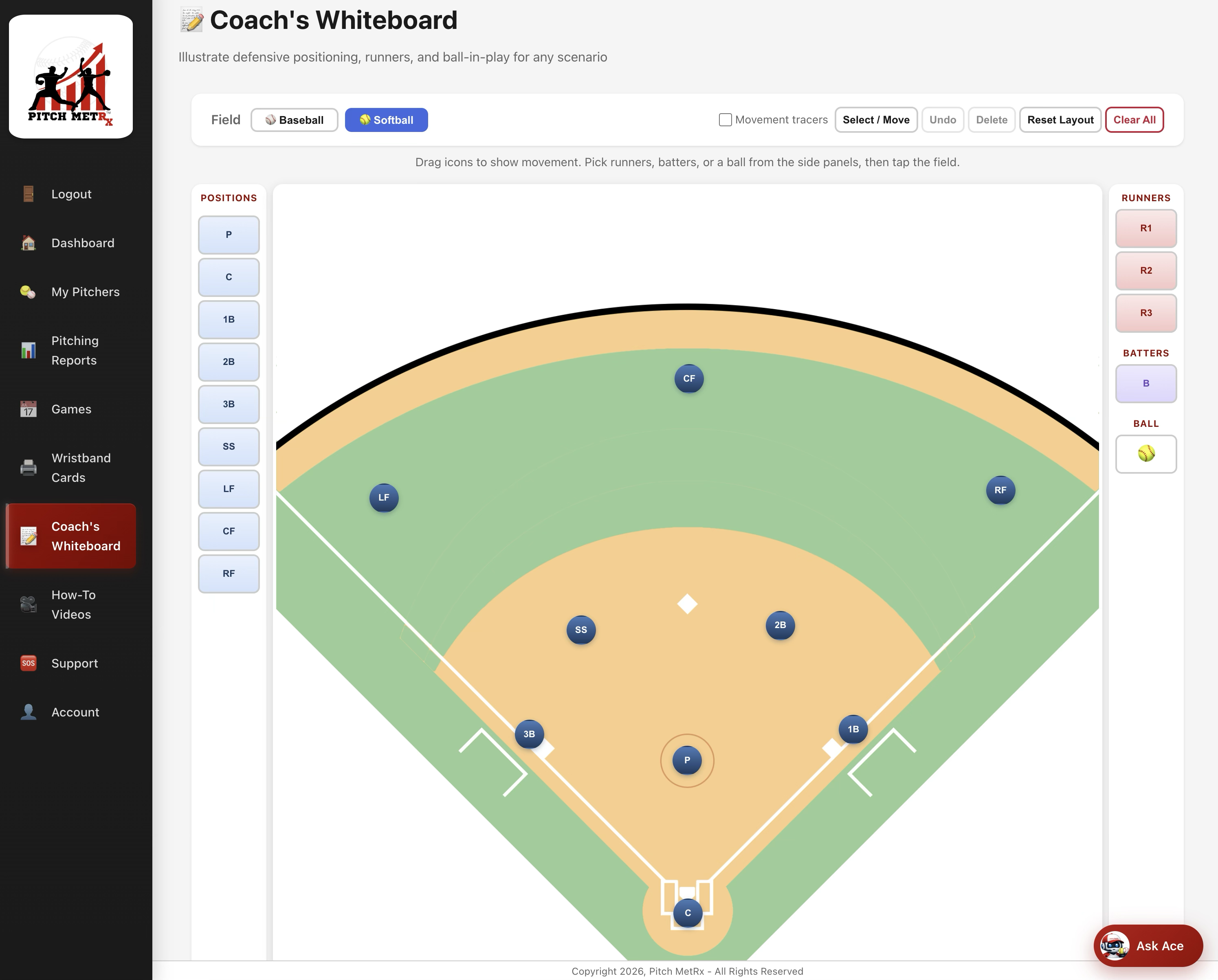
Examples below show the default baseball layout, the softball field, and a sample play with movement tracers illustrating runner and fielder paths.
How to use Coach’s Whiteboard
- Sign in to Pitch MetRx Start a 14-day free trial or sign in to your paid account.
- Open Coach’s Whiteboard From your dashboard, open the whiteboard tool.
- Choose baseball or softball Toggle the field layout to match your game.
- Build the situation Tap to place runners, the batter, and the ball; drag defensive icons to custom alignments.
- Enable movement tracers Drag players to show paths for the play you want.
- Walk through it with players Have each position group confirm their assignment before you take the field.
- Reset when needed Use Reset layout for a standard alignment or Clear all to start fresh.
Frequently asked questions
What is Coach’s Whiteboard?
Coach’s Whiteboard is an interactive field diagram inside Pitch MetRx where you place defensive positions, runners, batters, and the ball in play—then draw movement tracers to illustrate how a play should unfold. Use it for bunt defenses, cut-offs, shifts, and situational alignments.
Is Coach’s Whiteboard included in the free trial?
Coach’s Whiteboard is available with an active paid Pitch MetRx subscription. Start a 14-day free trial to explore pitch charting, reports, wristband cards, and other coaching tools in the app.
Does it work on a phone in the dugout?
Yes. Coach’s Whiteboard is mobile-friendly—use it on a phone, tablet, or laptop. Many coaches show a quick diagram to the catcher and middle infielders between innings.
Can I switch between baseball and softball?
Yes. Toggle between baseball and softball field images at any time. Each layout uses sport-specific field dimensions and default defensive positions.
What are movement tracers?
When tracers are enabled, dragging a player or runner draws a colored path on the field showing movement from one spot to another. Use them to illustrate who covers a base, who backs up a throw, or how a relay should flow.
How does it work with pitch charting?
Chart pitches from the dugout to learn what is working for your pitcher. Use Coach’s Whiteboard between innings to align your defense with the situation on base. Together they give you a complete coaching toolkit in one app.
Get your team on the same page
Join coaches who use Pitch MetRx for live pitch charting, game reports, wristband cards, and interactive play diagramming—all in one app.
Start 14-Day Free Trial